Available width and depth
Allow for the 126 × 84 mm nominal grid footprint, edge clearance and any drawer obstructions.
 EazyMake 3DUseful parts. Made easy.
Editable Gridfinity template
This starter creates a six-cell receiving plate on the standard 42 mm pitch. Choose a solid or open backing, adjust the fit for your printer and print the smaller base-fit pack before spending the time and filament on the complete plate.
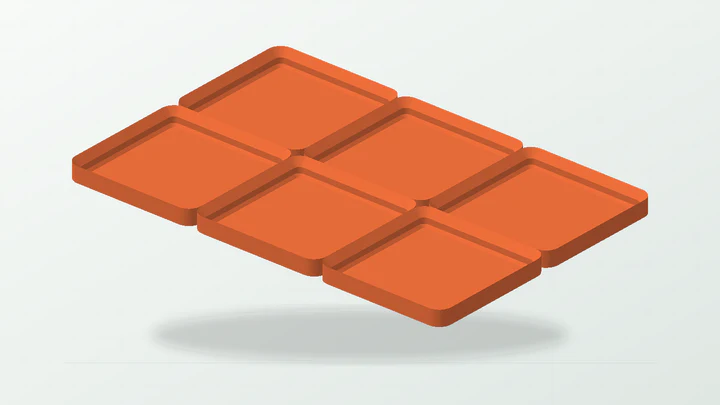
A practical starting point for one small drawer section—not a claim that one clearance or base style fits every printer, material or Gridfinity variant.
The starter dimensions are there to make the controls understandable. Replace them with evidence from the real part, space and print setup.
Allow for the 126 × 84 mm nominal grid footprint, edge clearance and any drawer obstructions.
Record the printer, filament, nozzle, layer height and slicer profile used for the fit pack.
Use the supplied trials to select a repeatable per-side planar clearance for this print setup.
Choose a solid receiving plate or an open-backed version based on the mounting surface and your own application test.
These values produce the preview shown above. They remain editable after the template opens in the EazyMake studio.
The generator keeps the important decisions visible and carries one parameter set through geometry, inspection, calibration and export.
Confirm the useful drawer or bench area and leave deliberate clearance around walls, runners, handles and fasteners.
Open the starter in EazyMake, adjust the cell count, plate height, backing and fit settings, then review the generated envelope.
Print the small reference and trial parts using the same material and profile planned for the full baseplate.
Choose the trial that locates reliably without an unwanted bind, and save that result with the complete print setup.
Apply the measured result, inspect the printable mesh and export the baseplate only after the software checks pass.
Answers specific to this starter and the measurements it exposes.
On a 42 mm pitch, the nominal grid footprint is 126 × 84 mm. Measure the actual installation space and allow deliberate edge clearance before printing.
Yes. It isolates the mating interface so you can compare trial clearances without committing to the complete six-cell plate.
It is only the starter value in this template. The useful result is the clearance demonstrated by your printed trial on the recorded print setup.
This page opens the baseplate starter. The same EazyMake Gridfinity builder also contains supported bin and organiser workflows, each with its own parameters and calibration needs.
Use the guide when you need the reasoning, or open another template to see the same measurement-first workflow in a different part family.
Open the real generator, replace the example dimensions and keep the calibration result tied to your printer and material.