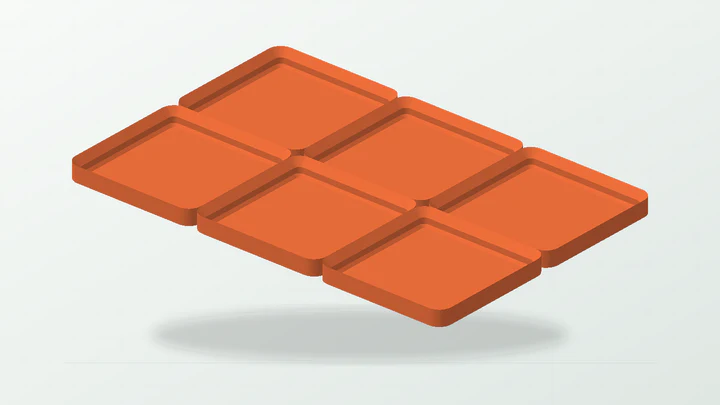
Receiving baseplates
Choose the whole-cell X and Y count, plate height, solid or open backing and per-side planar clearance.
 EazyMake 3DUseful parts. Made easy.
EazyGridfinity drawer system
Create whole-cell 42 mm receiving plates, arrange mixed bins on a snapped storage grid, export those bins on separate production plates, plan a measured drawer across printable segments, or build detailed open bins with compartments, dividers, labels, lids, retention pockets and tool storage. The generator keeps the dimensions and fit trials attached to the same editable project.
Use the standard grid as a starting system, then measure the installation and calibrate every interface that depends on your printer, material or third-party parts.
Start with a bounded workflow, then edit the dimensions and supported features without hiding the fit assumptions.
Choose the whole-cell X and Y count, plate height, solid or open backing and per-side planar clearance.
Enter a drawer size, draw bin footprints across its derived grid, edit each bin, then export packed bin-only 3MF plates and the matching segmented baseplate.
Enter the clear drawer envelope and printer-bed limits to resolve a whole-cell layout, printable segments and placement map.
Set cell count, height units, floor policy, inside corners and stacking-lip choice before adding task-specific features.
Add fixed or removable dividers, access scoops, labels, covers, retention pockets, patterned walls or cylindrical-tool holes where supported.
The generator can keep dimensions consistent, but the real installation and mating parts remain the source of truth.
Measure useful width, depth and height after allowing for drawer walls, runners, handles, liners and nearby tools.
Use the real usable bed dimensions and deliberate edge clearance—not only the printer's advertised maximum.
Identify whether you are matching EazyMake parts or an existing Gridfinity part whose base, lip or feature may vary.
Measure tool diameters, divider needs, label space, magnets or screws separately from the 42 mm grid footprint.
Each step keeps the editable parameters, calibration artifact and final printable parts connected.
Start with a receiving baseplate, mixed-bin layout, measured drawer plan or detailed open-bin workflow rather than forcing one parameter set to do every job.
Replace starter dimensions with the available space, printer bed, stored-item sizes and any actual hardware references.
Review the calculated envelope, cell layout, segment count, walls, openings and separate parts before exporting anything.
Test base, divider, locating-lid, retention-pocket or tool-hole fit using the same printer setup intended for the final part.
Export only the inspected printable mesh, and save the chosen clearance with printer, material, nozzle, layer height and slicer profile.
Use a template to understand a complete parameter set, then replace its dimensions with your own evidence.
Practical answers about what the current generator does—and what still needs a physical test.
It supports whole-cell receiving baseplates, drag-and-drop mixed-bin layouts with separate bin-only print plates, measured drawer-fit plate plans and detailed open bins. Supported bin features include fixed and removable divisions, front access, labels, lids, underside retention pockets, patterned walls and cylindrical-tool storage.
Yes. Whole cells are laid out on a 42 mm pitch. That establishes the nominal grid spacing, while the printed interface still needs a clearance trial when matching another part or print setup.
The drawer-plan mode uses the measured drawer envelope, usable printer-bed dimensions and edge clearance to resolve printable plate segments and a placement map.
No universal cross-fit is claimed. Print the relevant base or feature trial first, especially when combining parts from different designers, printers or materials.
Use the guides to choose and record a calibration experiment before treating a trial value as evidence.
Open the generator, choose a bounded starting workflow and keep the relevant physical trial attached to the final project.